Notifications Page
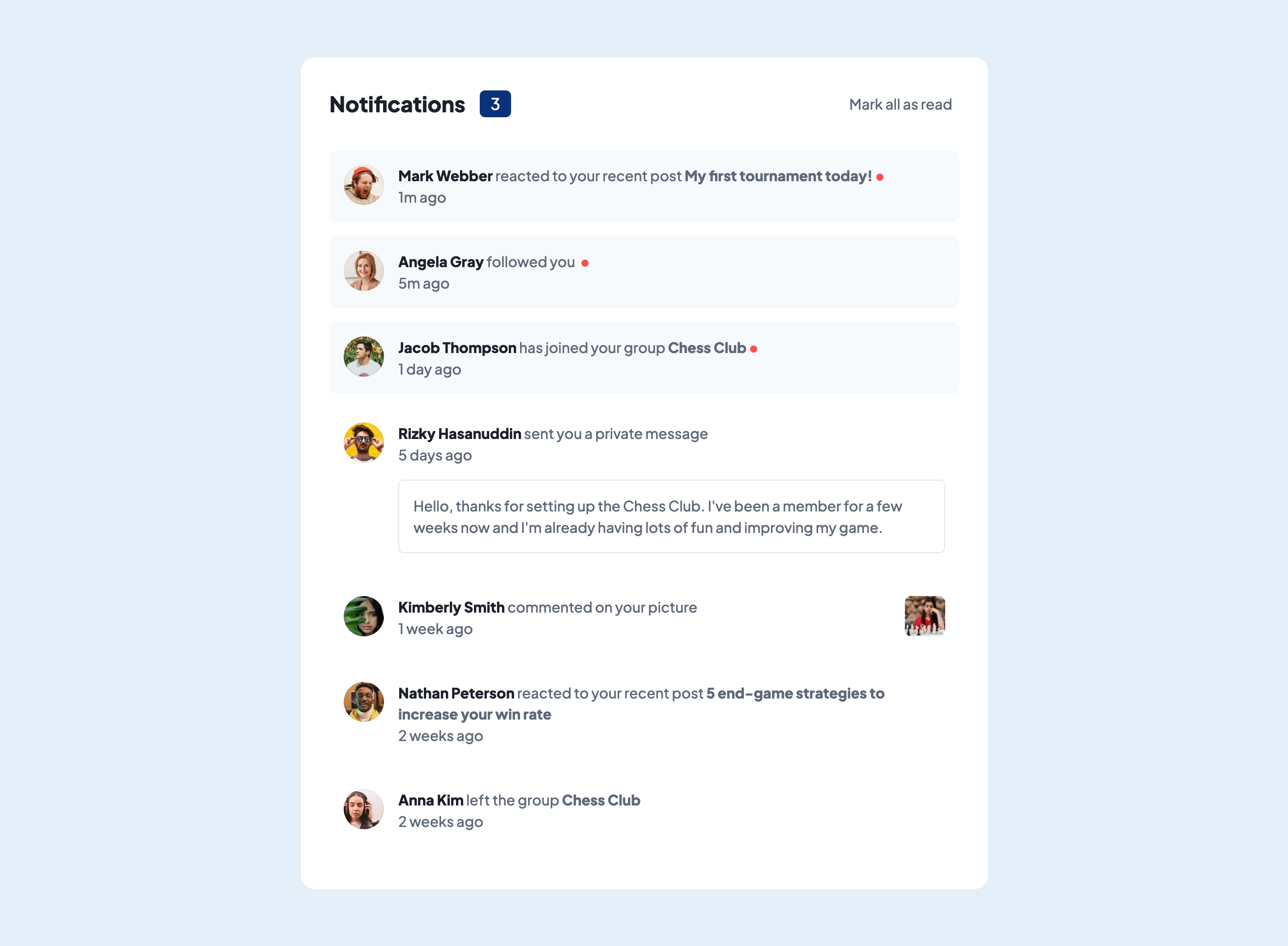
A frontend development challenge that showcases a notification feed.
Challenge provided by Frontend Mentor.
Skills
- Frontend Development
- Accessibility Compliance
- User Interface Design
Timeline
August 2023
Preface
This is a solution to the Notifications page challenge on Frontend Mentor. Frontend Mentor challenges help you improve your coding skills by building realistic projects.
The Challenge
Users should be able to:
- Distinguish between "unread" and "read" notifications
- Select "Mark all as read" to toggle the visual state of the unread notifications and set the number of unread messages to zero
- View the optimal layout for the interface depending on their device's screen size
- See hover and focus states for all interactive elements on the page
Learnings
Creating a seperate file to manage feed data is a good idea to help with managing state within the application. Keeping track of the number of unread messages, and marking all messages as read, only used the code below:
Javascript
const data = feedData;
const [feed, setFeed] = useState(data);

// Keep track of number of unread feed items
let unreadCount = 0;
feed.forEach((item) => {
  // If any array item value "read" is set as false
  if (item.read === false) {
    unreadCount++; // Update count number
  }
});

function handleClick() {
  const updateFeed = feed.map((item) => {
    if ((item.read = true)) {
      return item; // If array item value "read" is set as true, no change
    } else {
      return {
        ...item,
        read: false, // Otherwise array item value "read" is set as false
      };
    }
  });
  setFeed(updateFeed); // Pass in new feed into state
}
Resources
- Array State Manipulation Example: This helped with my understanding of maninuplating state within complex array structures.